
How It Works
From check-in to receipt, step by step
This is how a clinic day runs in EasyDoc, using the same screens you'll see when you sign in.
Set up your clinic
Sign in at app.easydoc.care, then add your doctors and the services you offer. Both can be added from the booking form as you go.
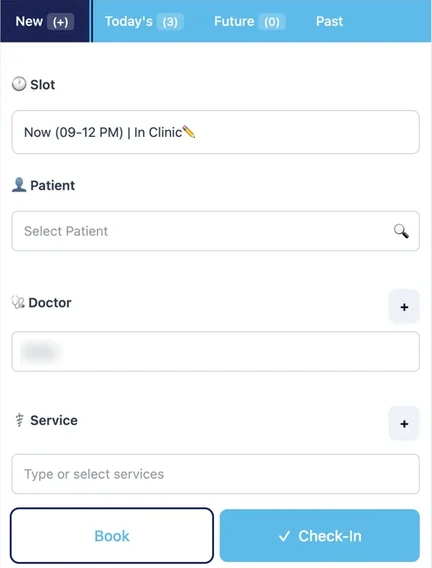
Book or check in patients
Choose the time slot, search for the patient, pick the doctor and services. Book schedules the visit for later; Check-In adds a patient who has arrived to today's queue.
Work through Today's OPD
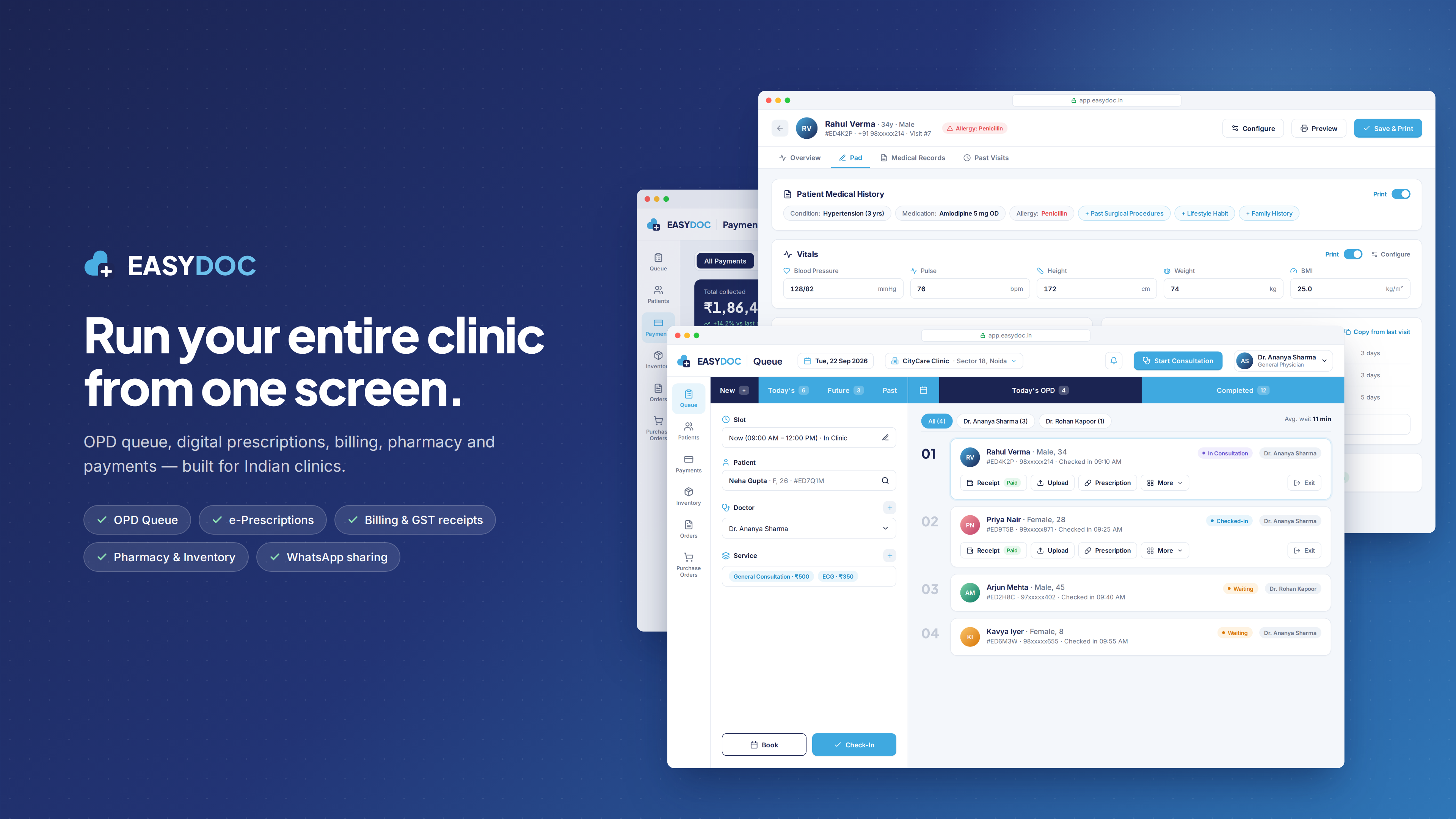
Checked-in patients are listed 01, 02, 03… with their slot and doctor. Filter the list by doctor, and start the next consultation from the top of the screen.

Prescribe, bill and attach files
Each visit card has Prescription, Receipt and Upload actions, so the visit is completed from the queue itself. Finished visits move to Completed.

Manage payments and stock
Review collections in Payments, and keep supplies up to date in Inventory, Orders and Purchase Orders.
Try it with your own patients
The Trial plan is free for one month — 1 doctor, 1 staff member and 1 clinic.